

Your next appointment, sorted
VIB helps you find a barber, book a time that works, and stay in touch about your appointment, without the back and forth.
- Coming soonApp Store
- Coming soonGoogle Play
Find a shop and a barber
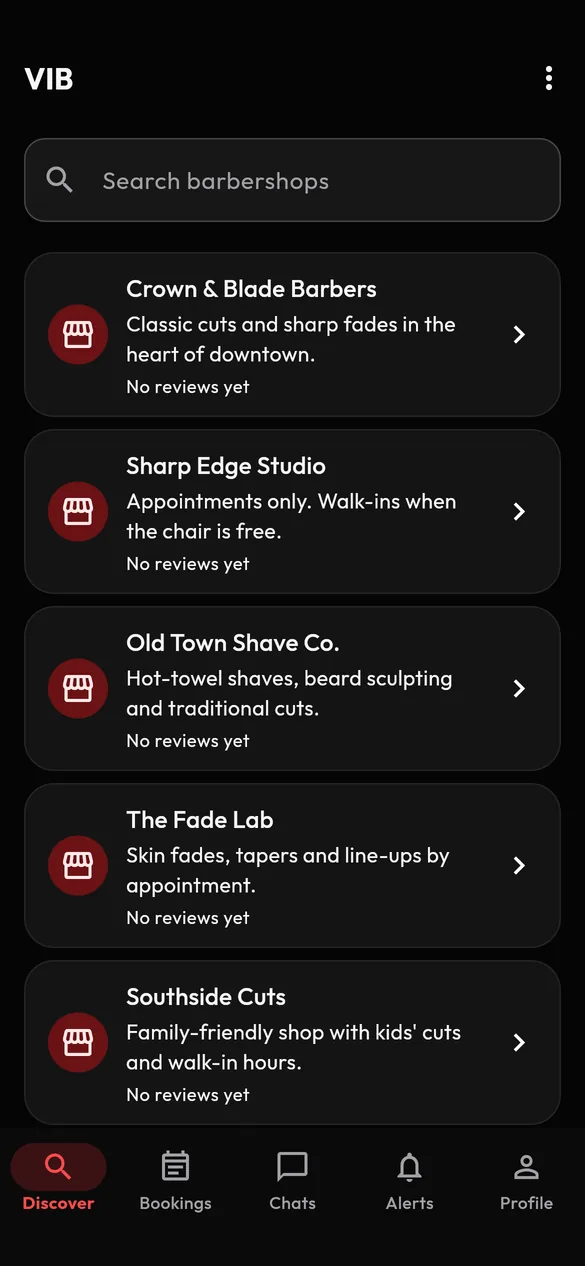
Open Discover and search for a barbershop by name. Each shop shows its barbers and the services they offer, along with reviews from other clients, so you can choose with a little more confidence. Open a barber's profile to see their services and what clients have said.
Book in a few taps
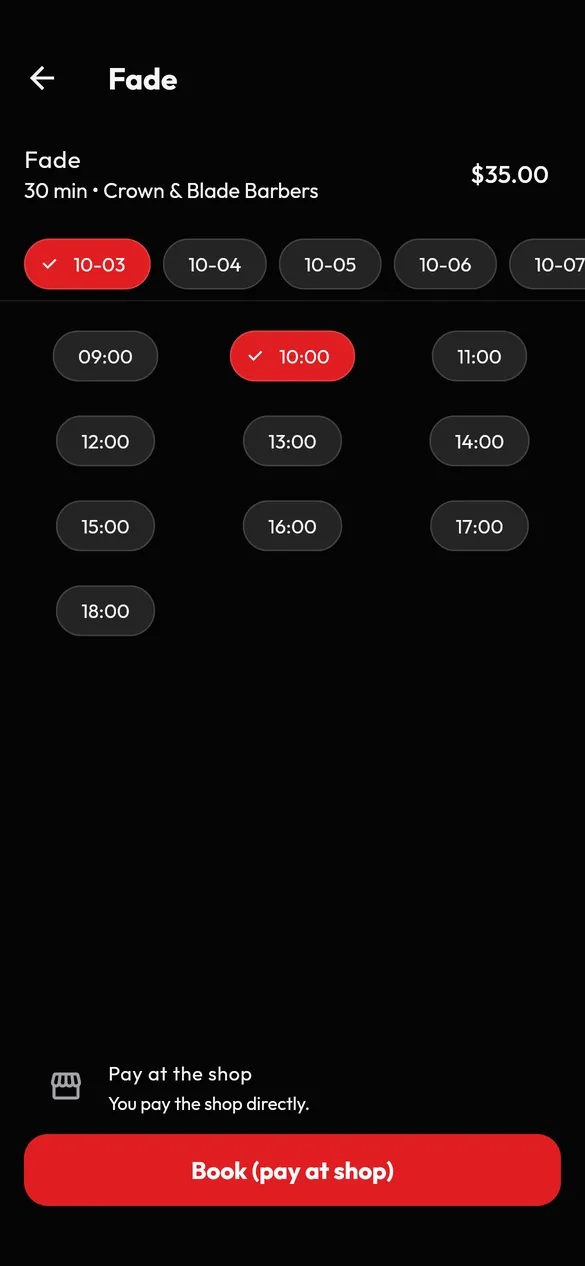
Pick a barber and a service, choose a day, choose an open time and confirm. Times are shown in the shop's local time. You will need a verified email address to book, which takes a minute: we send you a code and you enter it in the app.
In this version you pay your barber or shop directly, at your appointment. The booking screen tells you so before you confirm.
Talk to your barber
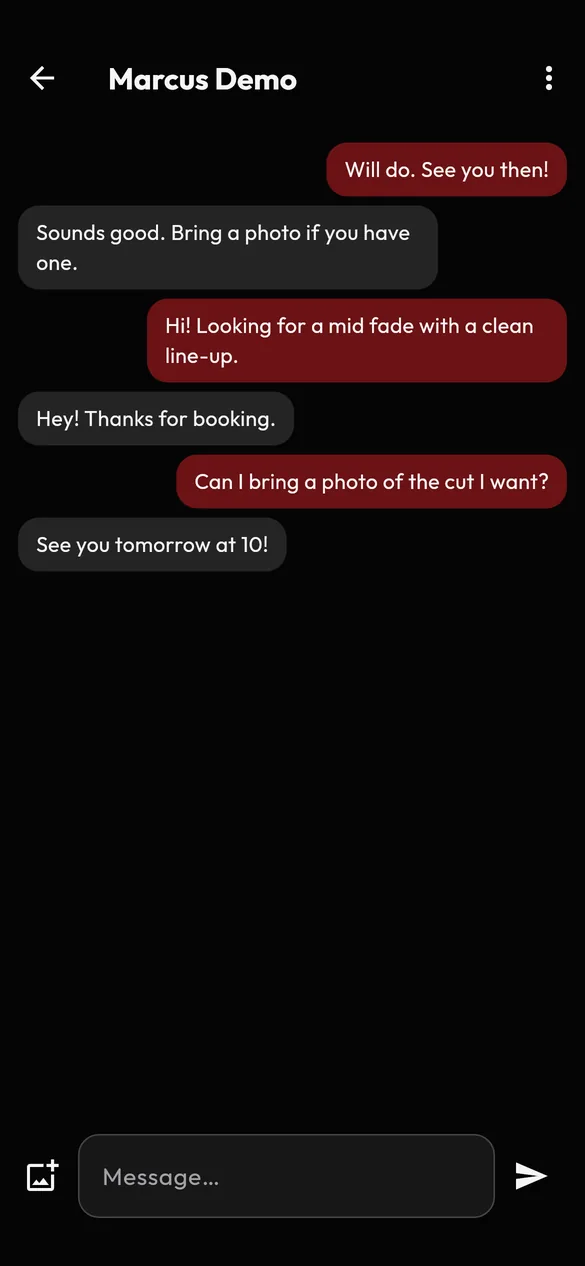
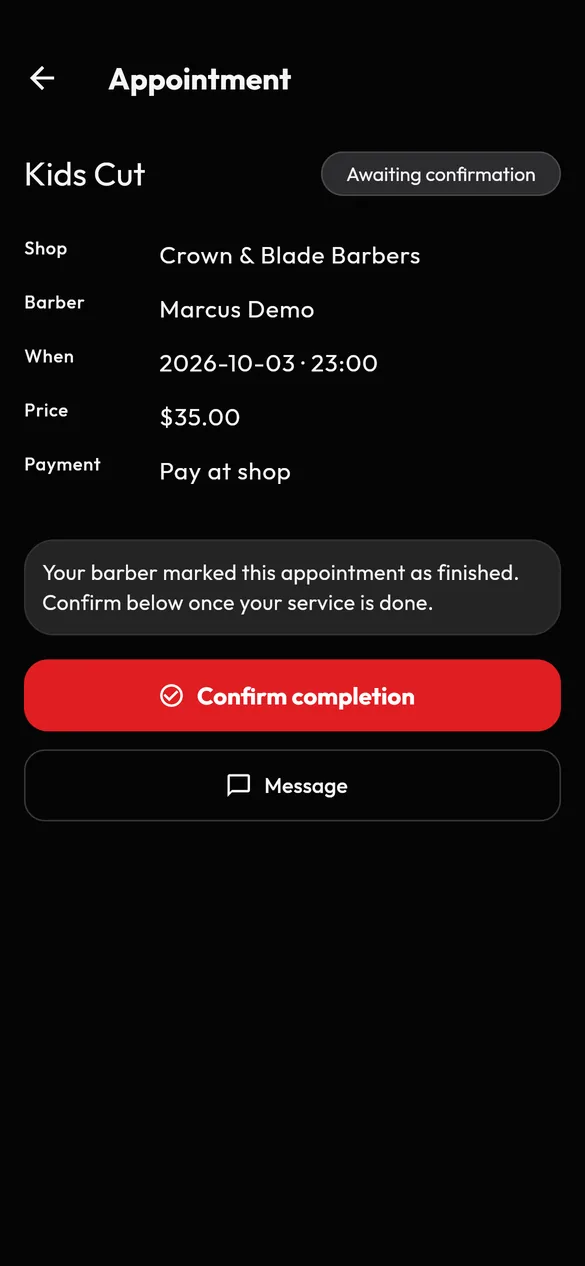
Open an appointment and choose Message to start a chat. Ask a question, confirm a detail, or send a photo from your photo library to show the style you are after. The chat is between you and your barber; VIB staff may look at it only to review a report or help with support.
Manage your appointments
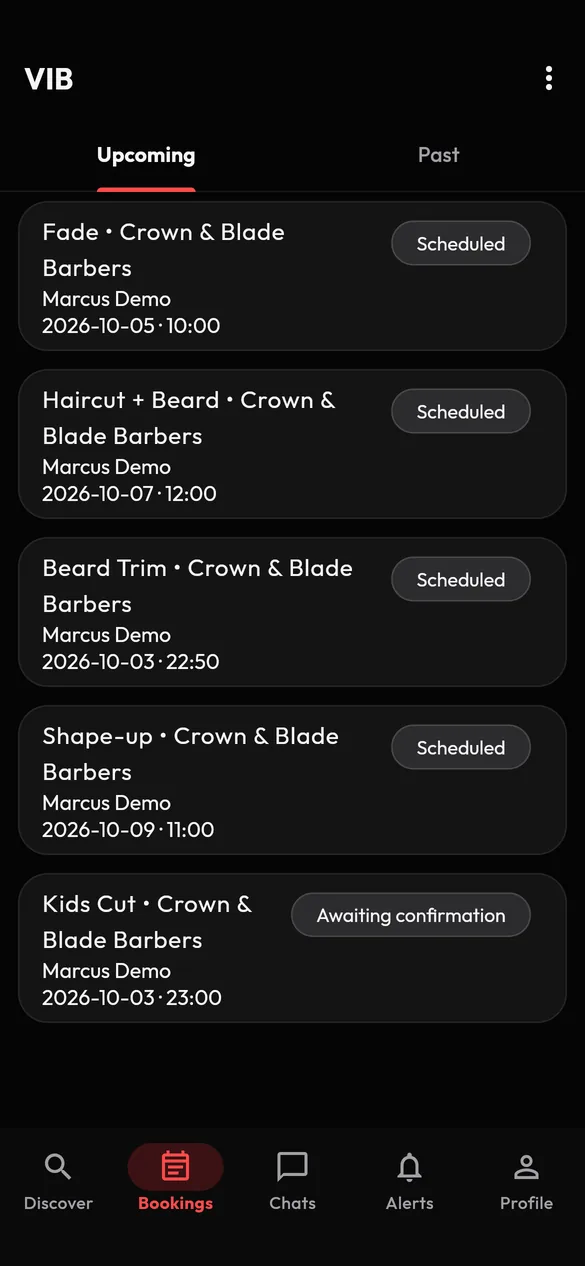
Your Bookings tab lists what is coming up and what is behind you. Open an appointment to see the shop, barber, time and price, send a message, or cancel. When the barber has finished the service, you confirm it was completed and can leave a review. Your Alerts inbox keeps you up to date about your bookings.
If you need to cancel, please do it as early as you can so your barber can offer the time to someone else. Whether a shop may charge for a missed appointment is between you and the shop.
Reviews that mean something
You can review a barber, a shop or a service after an appointment you actually had. Reviews are public and show your name, so please be honest and kind. If you see a review that breaks the rules, you can report it.
You are in control
- Report and block. Report a message, a person, a review or a barber profile from its menu, and block someone instantly from a chat or from a barber's profile.
- Your account is yours. Delete it in the app whenever you like, from Profile, then Delete account.
- Clear rules. Our Community Guidelines say what is and is not acceptable, and VIB Support reviews every report.
Learn more about safety and reporting and how we handle your information.
Client questions
How do I pay?
You pay your barber or shop directly at your appointment. VIB does not take payments in this version.
I did not get my verification code.
Check your spam folder, then ask for a new code from the verification screen. If it still does not arrive, contact Support from the email address you registered with.
Can I change or reschedule an appointment?
You can cancel an appointment from its details screen and book a new time. There is no separate reschedule button in this version.
Who can see my messages?
Only you and the other person in that appointment's chat. VIB Support may review a conversation if someone reports it. See our Privacy Policy.
How do I stop someone contacting me?
Open the chat and choose Block user from the menu at the top. They can no longer message you. You can unblock them any time under Profile, then Blocked users.