

Put your barbershop on VIB
VIB helps shop owners show up where clients are looking, keep the shop's details accurate, and keep their barber team organised.
- Coming soonApp Store
- Coming soonGoogle Play
We set up your shop
During launch, VIB sets up each shop for its owner. Here is how it works:
- Create an account, open the menu, choose Add a role, pick Shop Owner and complete owner onboarding in the app.
- Contact us with your shop name and the email address you registered with.
- Once your shop is set up, it appears in your Manage shop screen, and clients can find it.
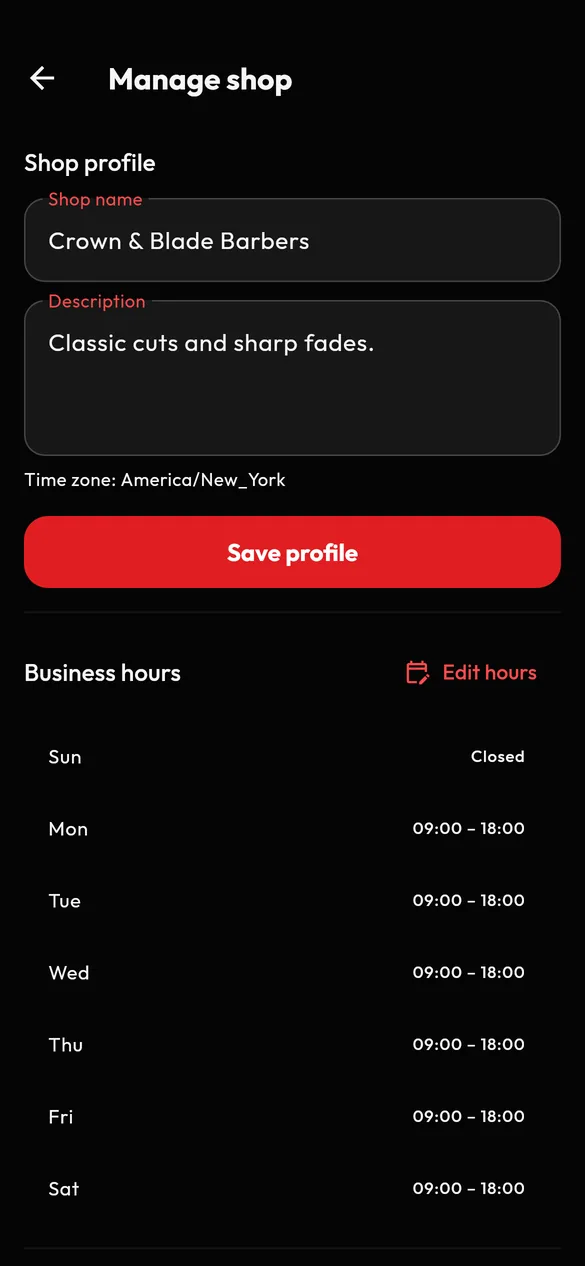
Keep your shop profile current
Update your shop name and description whenever something changes. Clients see an accurate picture of your shop before they book.
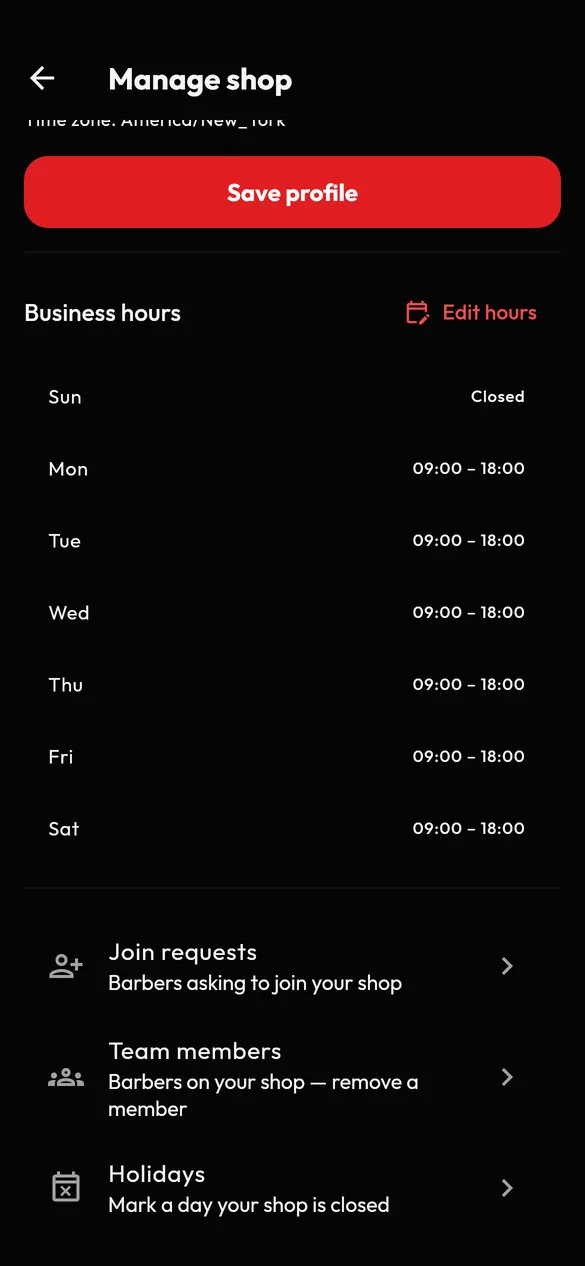
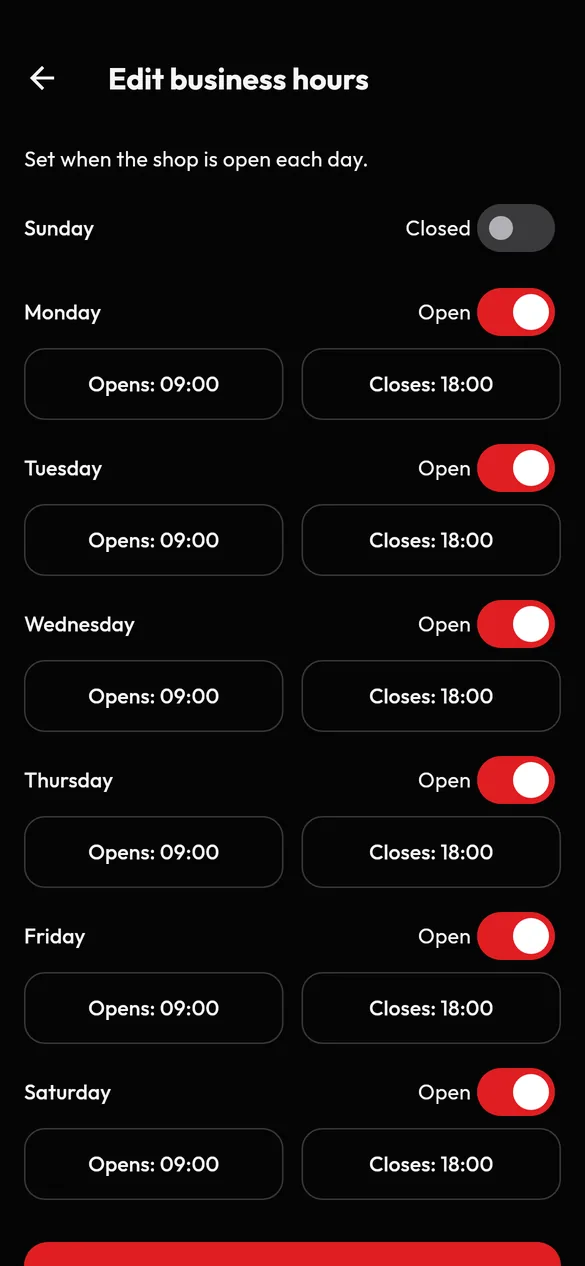
Business hours and holidays
Set your business hours and add holidays so clients know when you are closed.
Your barber team
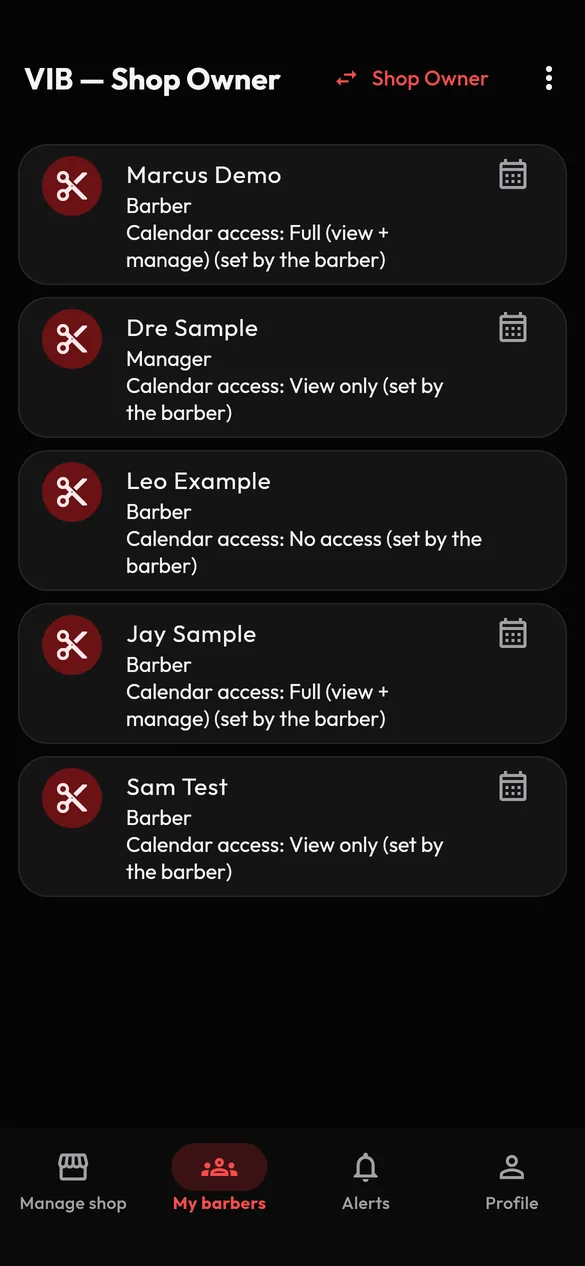
See the barbers on your team in one place and keep the roster tidy. If a barber leaves, you can remove them from your team, and you are asked to note a reason.
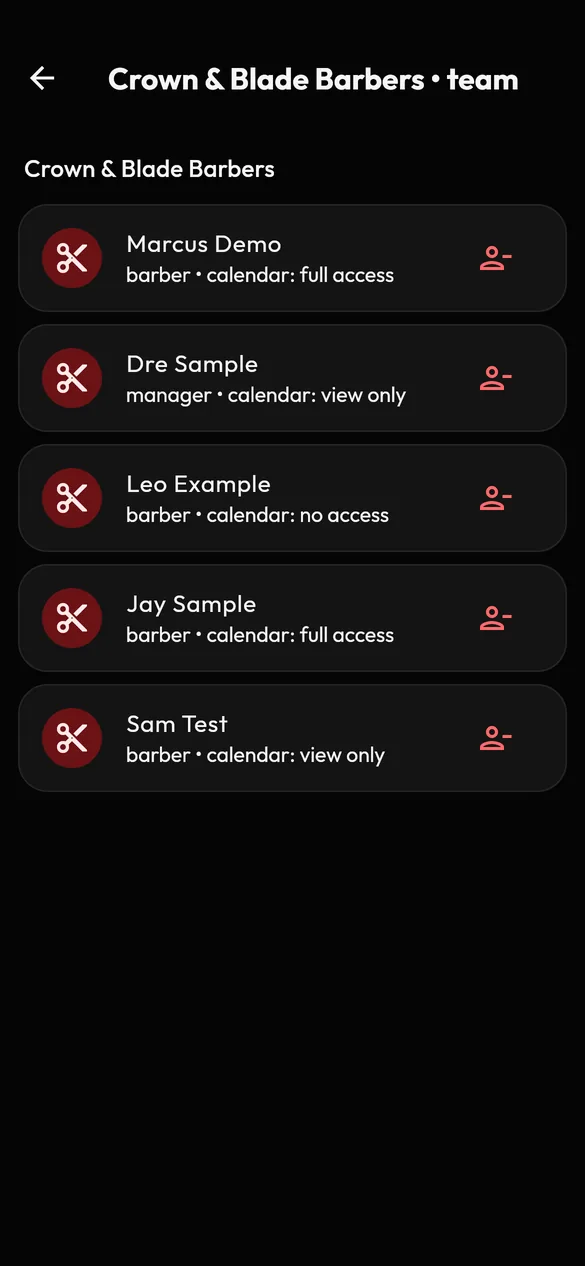
See schedules your barbers share
Barbers stay in charge of their own calendars. A barber can give you access to their schedule, at the level the barber chooses (full, view-only or none) and can change it later. You see a shared schedule from the My barbers screen.
What to expect in this version
- Barbers manage their own services, prices, durations and availability. As an owner you manage the shop's profile, hours, holidays and team.
- VIB does not take payments in this version. Clients pay the barber or shop directly at the appointment.
- You are responsible for your shop's licences, permits and legal obligations. See our Terms of Use for what VIB asks of shops and barbers.
Respect for everyone who walks in
Our Community Guidelines apply to shops, barbers and clients alike. Keep your listing accurate, honour confirmed appointments, and never discriminate. Report anything that breaks the rules from the app, and VIB Support will review it. Read more on Safety and reporting.
Shop owner questions
Can I create my shop in the app myself?
Not during launch. VIB sets up each shop for its owner. Contact us with your shop name and the email you registered with.
Does VIB approve my barbers?
No. Barbers switch on their own barber tools after verifying their email. VIB does not vet or endorse anyone. You decide who is on your team.
Can I see my barbers' appointments?
In the app, you see a barber's schedule if that barber gives you access, at the level they choose. Bookings are made at your shop, so VIB's systems also record them against your shop.
Does VIB handle my clients' payments?
No. VIB does not take payments in this version. Clients pay the barber or shop directly at the appointment.
What happens to my shop if I delete my account?
Deleting your owner account means no one can manage the shop in the app, and the shop stops appearing in search. Please contact us before you delete your account so we can talk through your shop first.